


01 / BEFORE THE VISIT
So much to pull together.
Find the family history. Check the goals. Gather forms. Reconcile calendars. Prepare for a visit before you even leave.
Thoughtful technology, design, and support for child and family services.
Let’s talk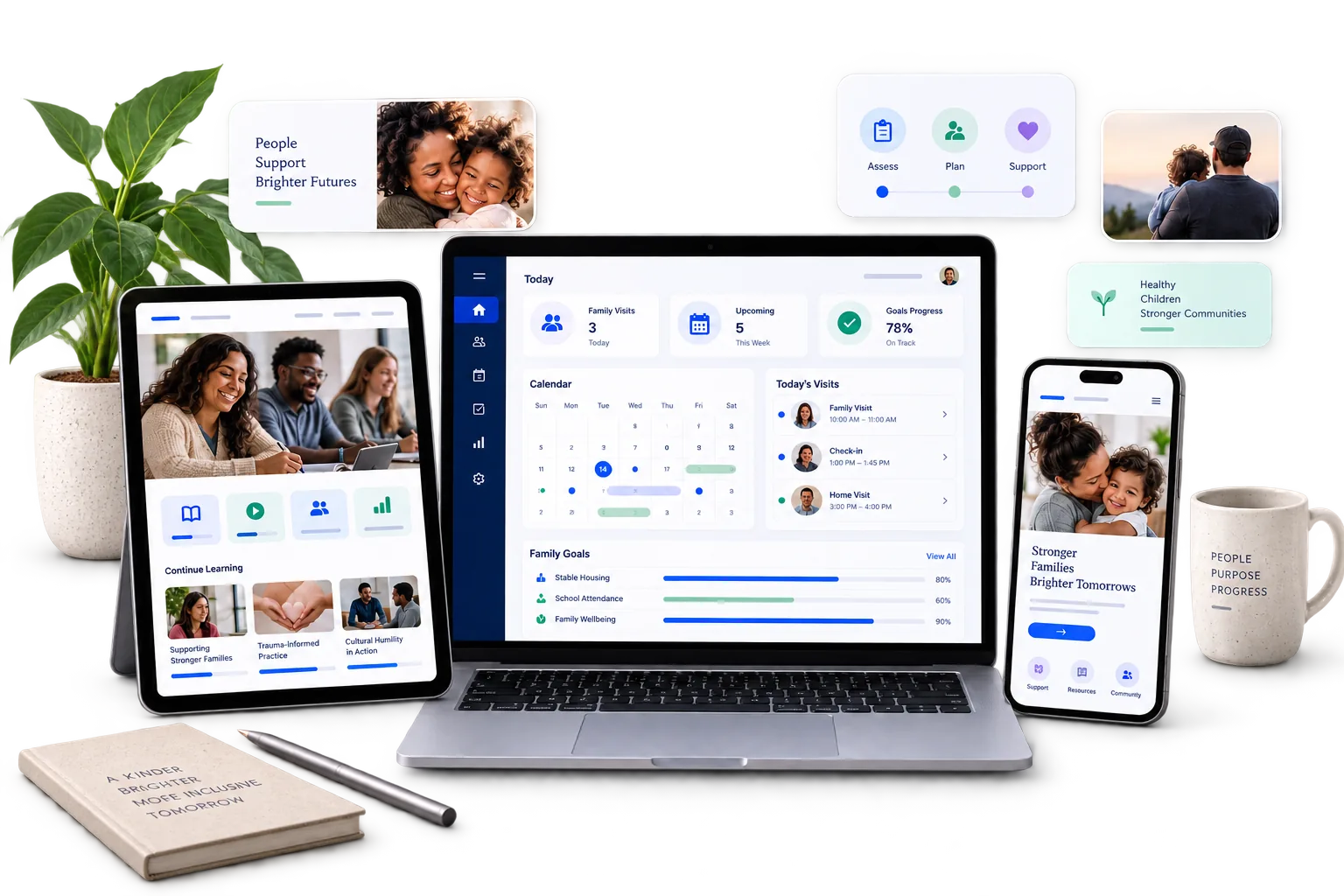
Thoughtful technology, design, and support for child and family services.
Let’s talk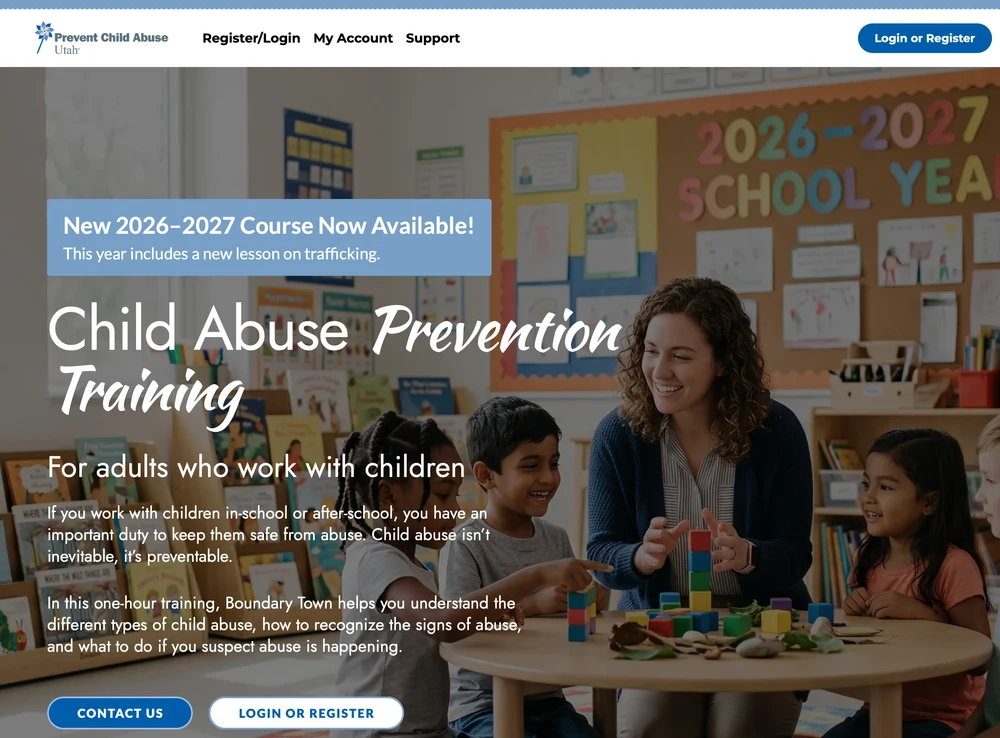
Thoughtful technology, design, and support for child and family services.
Let’s talk
Thoughtful technology, design, and support for child and family services.
Let’s talk
Thoughtful technology, design, and support for child and family services.
Let’s talk
Temporary preview · changes the whole page.
Share the selected palette with → Copy settings for ChatGPT. Photography stays in its original colors.
Technology with a human purpose
We build customizable software for home visiting teams, alongside websites and training platforms for child and family services. Less administration. More time for people.
Human services experience.
Thoughtful digital possibilities.
Why Mophead Media builds
You and your organization bring the expertise, relationships, and purpose. We build technology around your goals, helping your team spend less time on administration and more time making a difference for children and families.
Our mission · Your work deserves the best
Your work deserves technology that supports its full potential. We help nonprofits and government teams serving children and families build on their strengths with thoughtful design, modern software, strong security, and accessible experiences, including support for HIPAA requirements where needed.
Exceptional technology. Built for nonprofit budgets. We keep affordability in mind from the start, so your investment supports your mission and the people you serve.
Home visitor challenge · The work around the work
Home visitors are hired to connect with families. To listen, encourage, and help children thrive. Yet preparation, paperwork, and repeated data entry can take over the day.
Find the family history. Check the goals. Gather forms. Reconcile calendars. Prepare for a visit before you even leave.
Write the notes. Update assessments. Enter the same details in another system. Chase signatures and reporting deadlines.

Reconstruct mileage, match trips to funding sources, and piece together reimbursement records at the end of a busy week.
The documentation matters. We understand. It supports funding and accountability. It should support your work with families, without taking over your day.
Introducing a home visiting system we think can help
Less administration. More time for connection.
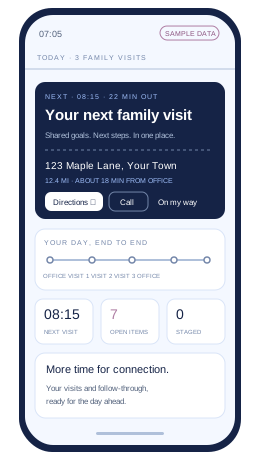
Customizable software for home visitors and supervisors, designed to bring visit preparation, documentation, and follow-through into one clearer workflow. Shape it around your organization’s programs, people, and processes.
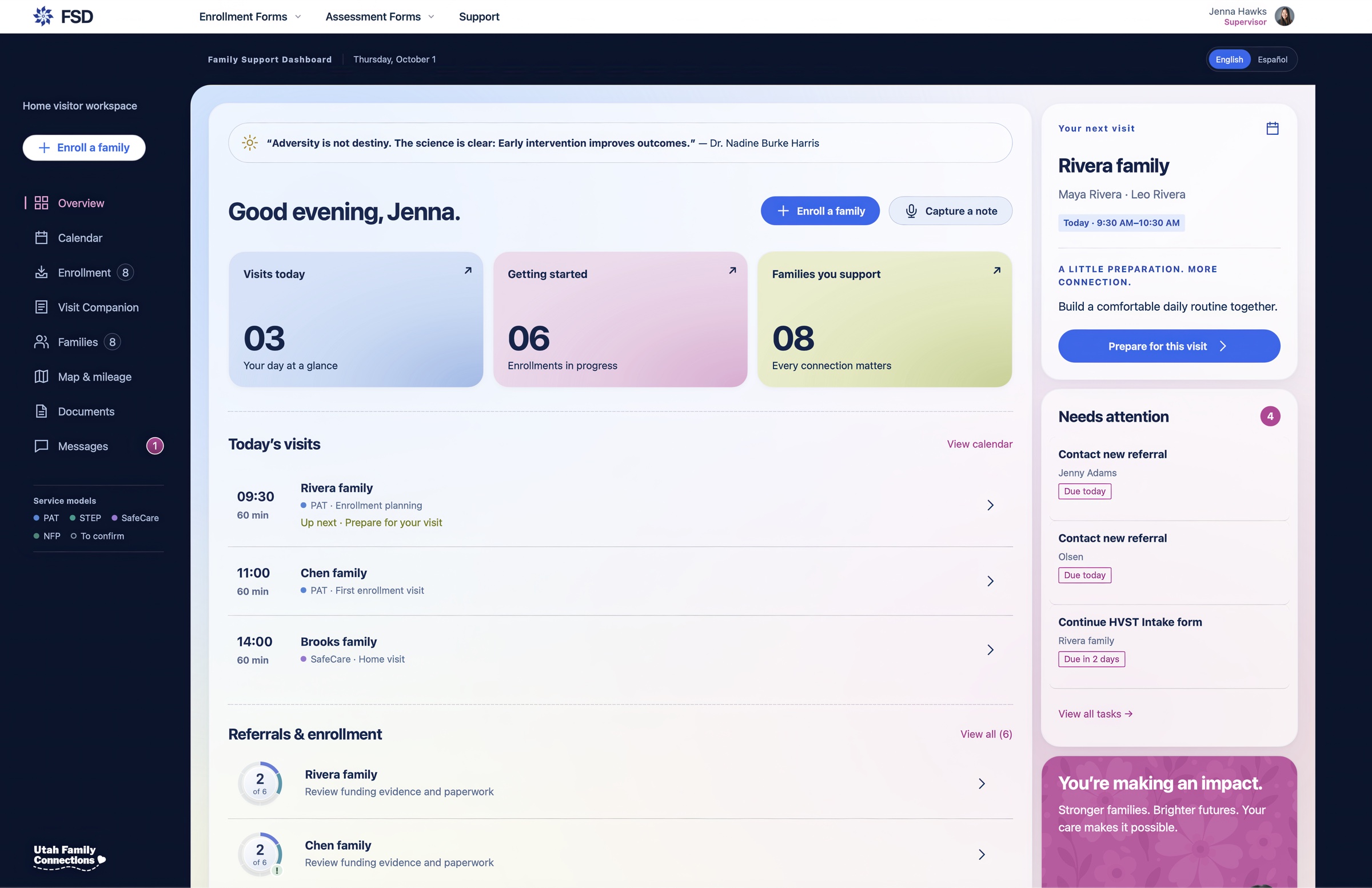
The pinwheel shown in the preview belongs to Prevent Child Abuse Utah, the official Utah chapter of Prevent Child Abuse America. Your dashboard will use your organization’s logo and branding.
Family context and goals, ready for the visit.
02Visits and upcoming tasks in one view.
03A clearer starting point for each connection.
04Documentation and signatures needing attention.
05Keep the next steps visible between visits.
06Explore the supervisor workspace.
Review their strengths, shared goals, and next steps before you arrive.
Connected workflows with professional review at the center.
A shared view for reflective supervision and continuous quality improvement.
What more time could mean
Less administration should do more than clear a task list. It should make room for the relationships that brought your team to this work.
Shaped by the people doing the work
We asked home visiting supervisors what frustrated them. We got an earful. Their feedback helped turn everyday challenges into practical requirements for the Family Support Dashboard.
See how their input shaped the dashboard ↗For the home visitor
A simpler administrative day can leave more energy for families and more satisfaction in the work.
For the team
Reducing repetitive work is one way to address administrative strain. Our goal is a more sustainable day, with less pressure to keep catching up.
For the family
Time to listen beyond the first answer. Notice a small milestone. Build the trust that helps a family share what they need.
Other work we do
Digital infrastructure in service of prevention. We support PCAU’s online training systems so adults can access the learning that helps them recognize and respond to child abuse.
 80,000+
Completion certificates issued over five years for child abuse prevention training.
Prevent Child Abuse Utah’s training completions
Meet Boundary Town
Approved by the Utah State Board of Education, PCAU’s online Boundary Town course helps educators, coaches, school staff, and other adults who work with children recognize signs of abuse and respond appropriately. Completion provides one hour of continuing education credit and meets the educator training requirements under Utah Code 53G-9-207.
Complete the course in one sitting or return by module, with practical scenarios and a completion certificate.
Prepaid organizational licenses include group codes and completion reporting to help teams track participation.
“Thanks for all the hard work that went into making this visually engaging, concise, and empowering!”
Training developed by Prevent Child Abuse Utah. Website and online training system support by Mophead Media.
Beyond the dashboard
Websites, branding, and training systems built for nonprofit budgets. Help families find you, strengthen referrals for home visiting families, and support your outreach and enrollment goals.
Reputation management, video, social media, and email campaigns that build trust, champion your cause, and help families find your services.
Our work · Case studies
Websites, online training, branding, and ongoing digital support for prevention.
View case studyA statewide reporting system supporting 31,000+ lethality assessments from 2016 to 2023.
View case studyWebsite, conference registration, hosting, and ongoing systems support.
View case studyA redesigned website and online grant applications for mission-driven nonprofits.
View case studyFree tools
What turnover costs in dollars, in cases that change hands, and in families who meet a new worker this year.
Use this free toolEighteen questions across six areas, with a score, a breakdown, and the three gaps worth closing first.
Use this free toolEvery children’s advocacy center and state chapter in the country, 1,032 organizations mapped, filterable by state and service.
Use this free toolWho runs the system in your state, who administers the money, and what the rules are. Utah is live.
Use this free toolFrom the journal
Documentation should support the relationship. A closer look at duplicate data entry, the human cost of fragmented systems, and what better technology could make possible.
From case notes to training updates, explore where AI could reduce repetitive work while keeping professional judgment and human connection at the center.
Start a conversation
Whether it’s funding, visibility, or the hours lost to administration, that’s exactly the conversation we want to have.
rich@mopheadmedia.comFamily Support Dashboard · Pricing & early partners
We’re shaping an organization-level subscription model for FSD. Setup, customization, and training are scoped and priced separately. Your demo is a chance to discuss program needs, implementation, ongoing support, and budget—so a proposal can clearly define the subscription, one-time costs, and what’s included.
Help shape FSD through practical feedback and conversations about the pricing structure that works for your organization. The program offers introductory pricing, with participation, scope, availability, and pricing terms agreed together before any commitment.
Interested? Choose “FSD early partner program” in the inquiry form and tell us about your team.
A few details will help us start in the right place.
If your email app didn’t open, copy your message and email your inquiry to Rich.